Dealer-level diagnostics.
No subscription. No locked hardware.
SmartChecker turns a Windows laptop and the OBD adapter you already own into a full scan tool, data logger, bi-directional tester and module programmer — with an AI Head Tech that runs on your own PC.
In private beta · Founding Shops wanted
Diagnostics in three steps
Plug in & Auto-ID
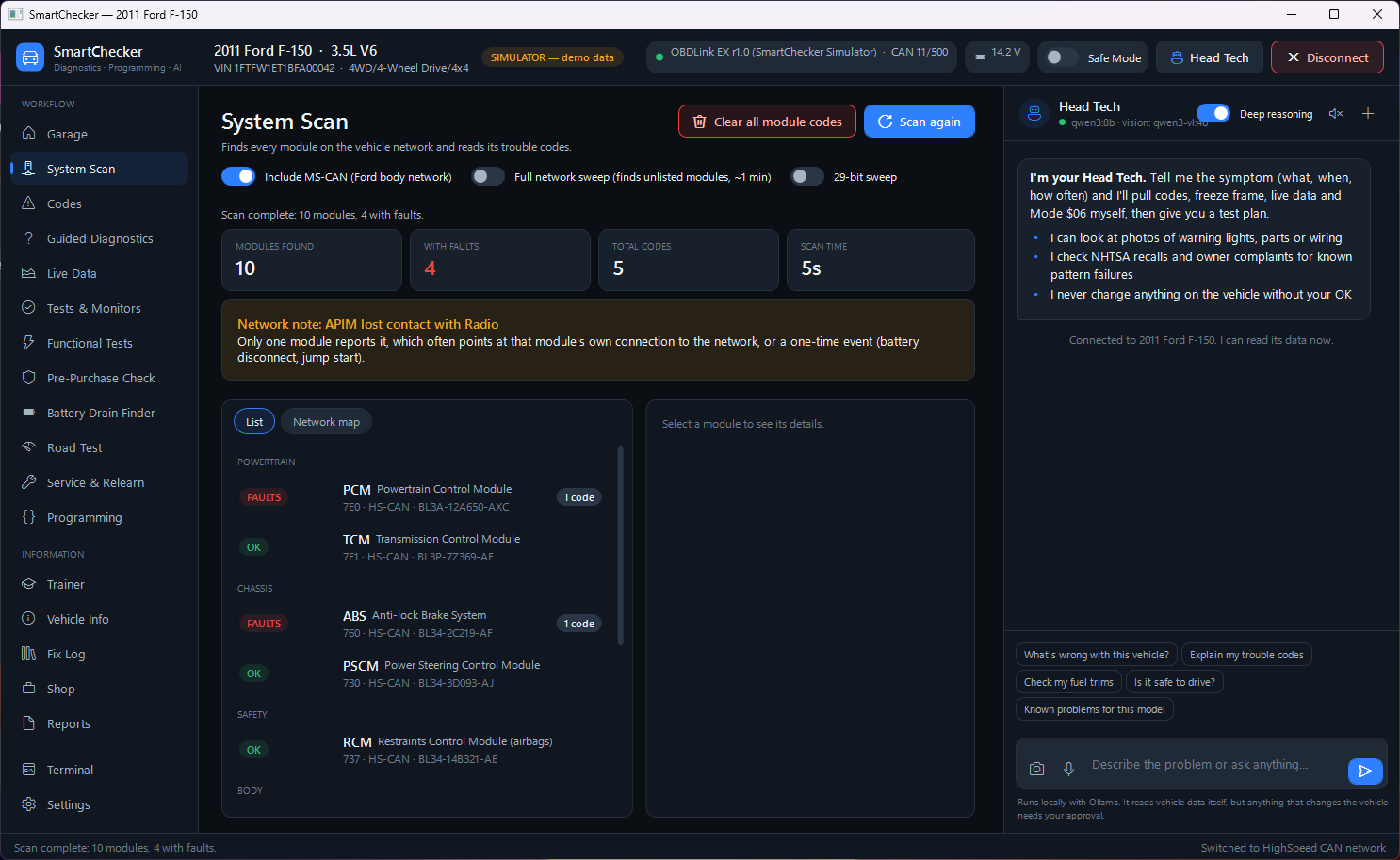
Connect any standard adapter. SmartChecker instantly detects the protocol, reads the VIN, and sweeps all modules for codes.
Scan & Talk
Head Tech AI automatically pulls freeze frames and live data, giving you a ranked test plan before you even open the hood.
Fix & Invoice
Run bi-directional tests, verify the repair, clear the codes, and generate a final customer report into the integrated Shop manager.
The end of the tool truck payment plan
Flagship scan tools come as a dedicated tablet with a yearly subscription. SmartChecker runs on your own Windows PC with a standard J2534 or ELM adapter: bidirectional controls, live data and module programming, with no yearly fee.
| Capability | SmartChecker | Flagship Tool Truck Scanners | Import Tablets |
|---|---|---|---|
| Up-front Hardware Cost | Bring your own PC + adapter | $5,000 - $10,000+ | $1,500 - $4,000+ |
| Annual Update Fees | None (Forever yours) | $1,000+ / year | $600+ / year |
| Module Programming | Native built-in J2534 UDS support | Requires separate J2534 box & software | Requires J2534 box & OEM subs |
| AI-Assisted Diagnostics | Locally hosted 'Head Tech' AI (reads live data) | Cloud-based code lookups | Basic code definitions |
| Shop Management & Invoicing | Fully integrated into scan history | Requires separate software subscription | None / Cloud reports only |
| Heavy Duty J1939 Support | Included out of the box | Extra paid module required | Requires separate commercial tablet |
| Connection | USB, Bluetooth, Wi-Fi or J2534. Programming only over a wire | Proprietary VCI | Brand-locked VCI |
| Hardware Upgrades | Any standard Windows PC / Tablet | Locked to OEM tablet | Locked to OEM tablet |
Because the software isn't tied to the hardware, you choose the PC and the adapter, upgrade either whenever you like, and keep using SmartChecker 2.x for as long as you want.
Prices are typical ranges for each category of tool, not quotes for a specific product.
Built around three ideas
Any adapter
ELM327 and STN/OBDLink over USB, Bluetooth or Wi-Fi, plus professional J2534 pass-thru devices — including 32-bit drivers through a built-in helper.
Offline-first AI
Head Tech runs locally with Ollama. It reads codes, freeze frame and live data itself, then gives you a ranked test plan. Cloud AI is optional.
Safe by design
One Safe Mode switch blocks every write. Tests hand control back automatically, and programming refuses to start unless conditions are right.
A master tech that reads the car before it answers
Ask in plain words. Head Tech pulls codes, freeze frame, live data, readiness and Mode $06 itself, checks NHTSA recalls and complaints, searches your manuals and your shop's past fixes, then tells you what to test first.
- Runs locally with Ollama — your data stays on your PC
- Photo analysis for warning lights, parts and wiring
- Hands-free push-to-talk with offline Whisper, answers read aloud
- Remembers each vehicle between visits
- Can only propose changes — you click Approve
Why is this truck running lean on bank 1?
I just pulled the live data. LTFT on Bank 1 is +18%, but Bank 2 is normal at +2%. The MAF sensor is reading a healthy 4.5 g/s at idle, so it's not a global vacuum leak.
This points to a localized issue. I recommend checking the Bank 1 upstream O2 sensor or looking for a cracked intake manifold gasket on that side.
See the whole vehicle network
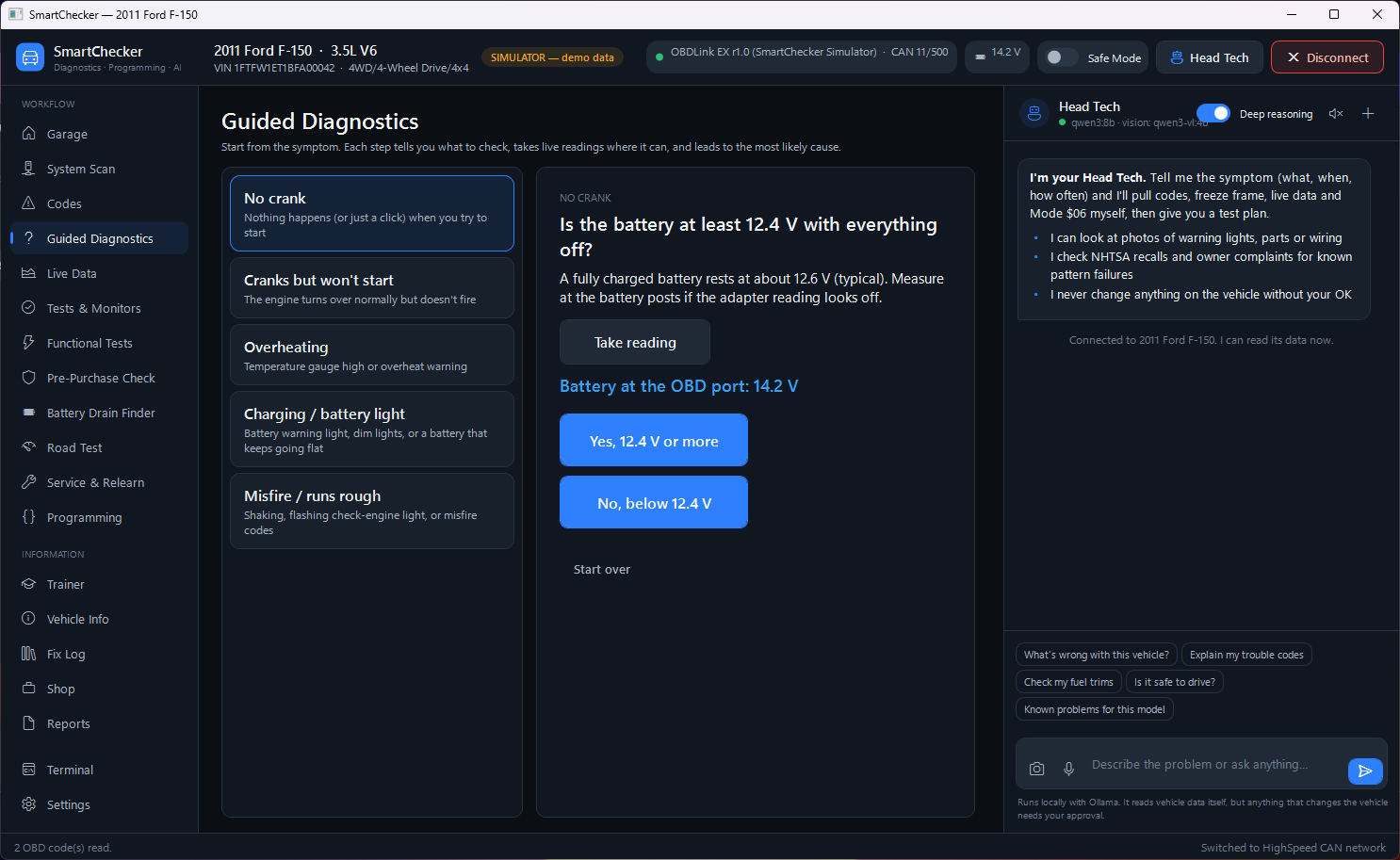
Stop guessing if a module is offline. SmartChecker automatically probes all CAN and J1850 networks, mapping active modules, gateway structures, and network faults on an interactive topology diagram.
Everything from first scan to final invoice
Connect in seconds
Plug in, turn the key, click Connect. SmartChecker finds the adapter, identifies it (and flags clones), detects the bus and reads the VIN.
- Auto USB search, COM port, Bluetooth, Wi-Fi, J2534
- Built-in simulator with seven demo vehicles
- Vehicle history remembers every car you've worked on
Trouble codes that explain themselves
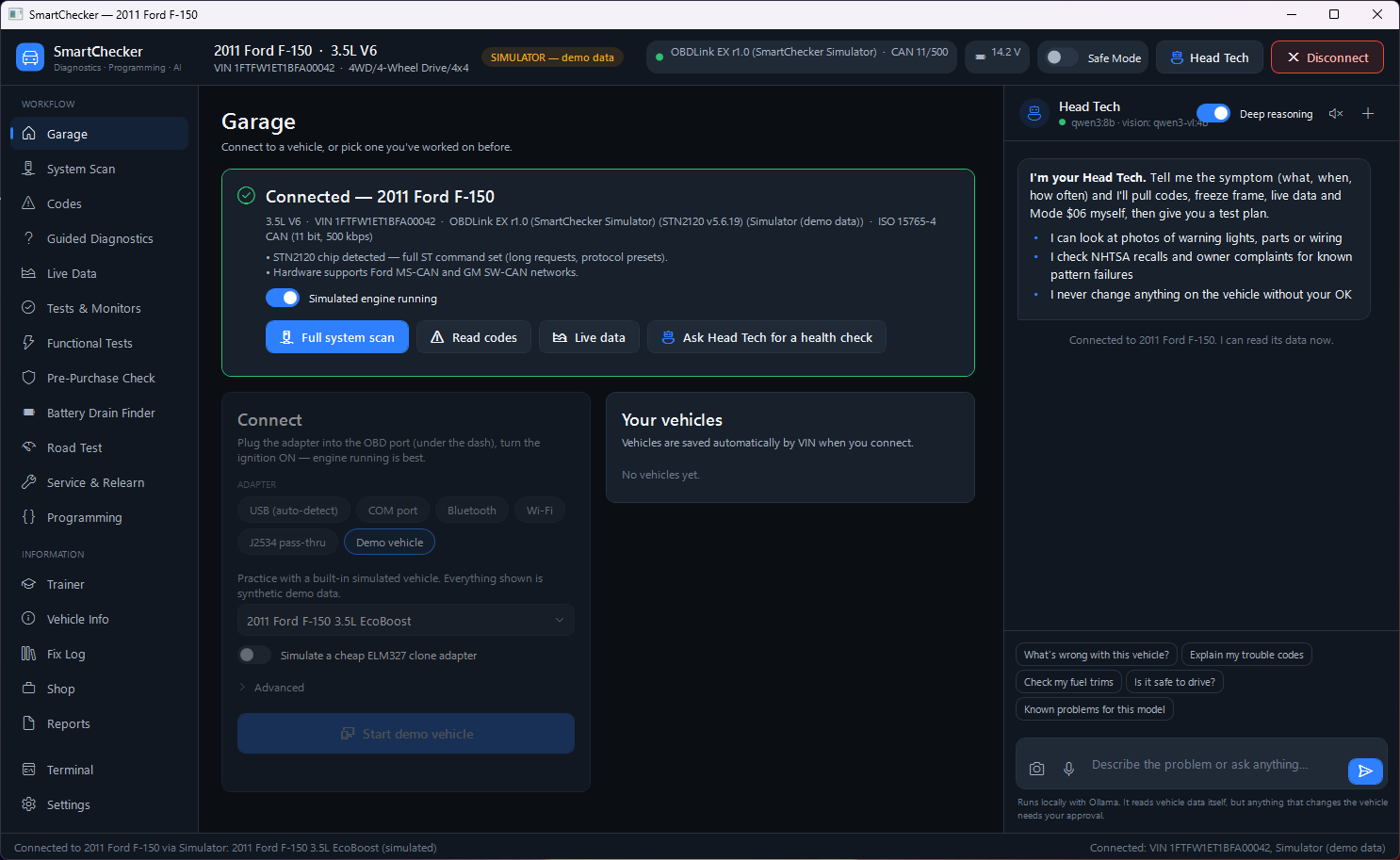
Stored, pending and permanent codes from every module, with severity, common causes, first checks and the live data worth watching.
- Make-specific definitions for major brands
- Code history: new, seen before, or back after a repair
- Freeze frame and UDS failure-type details
Fast live data, graphed and recorded
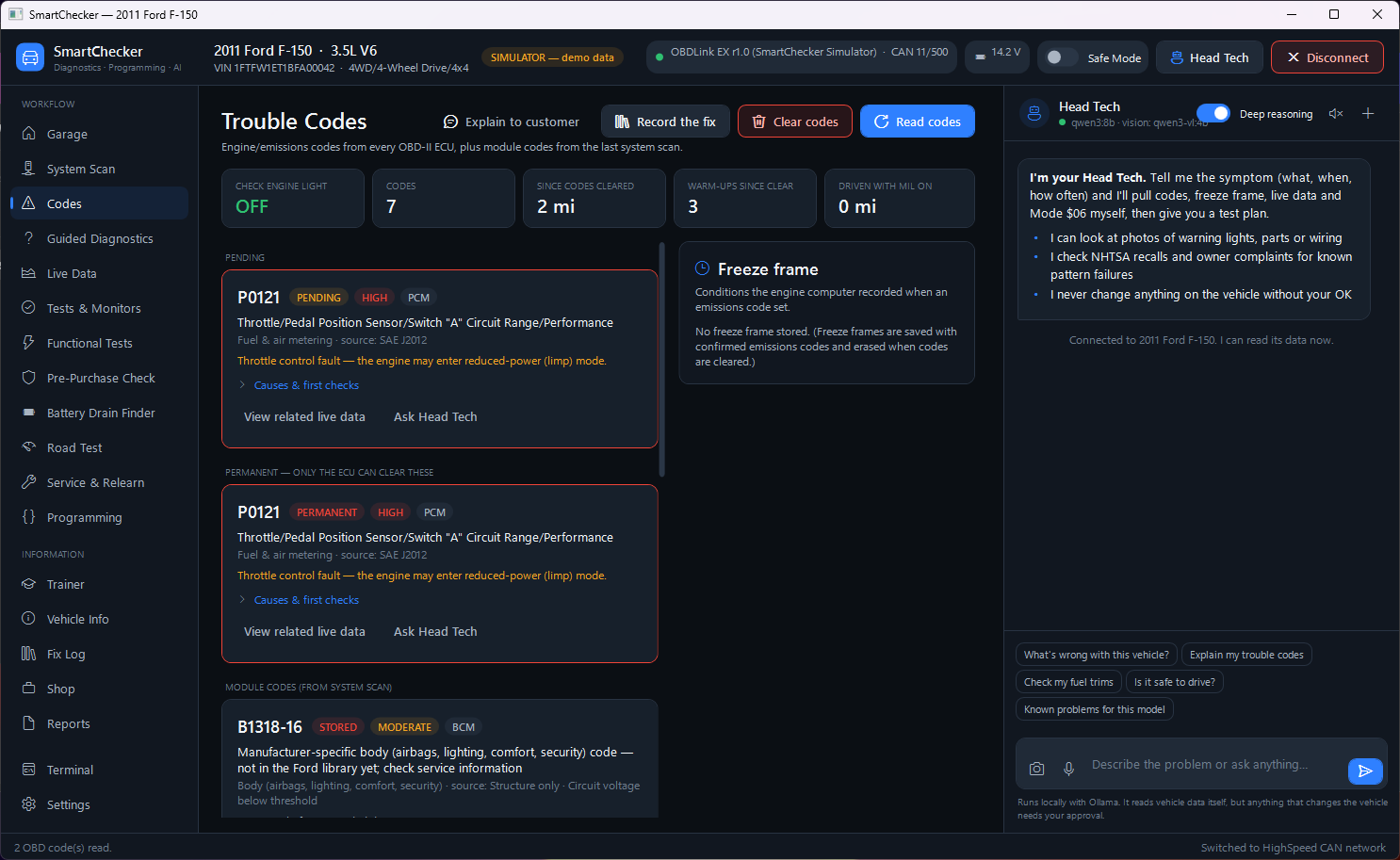
Multi-PID requests on CAN for real sample rates. Graph anything, record to CSV, and set a trigger to capture the moment a fault happens.
- Rolling buffer with pre/post trigger capture
- Enhanced PIDs and OBDb signal-set import
- Smart Data findings on fuel trim, charging, vacuum and airflow
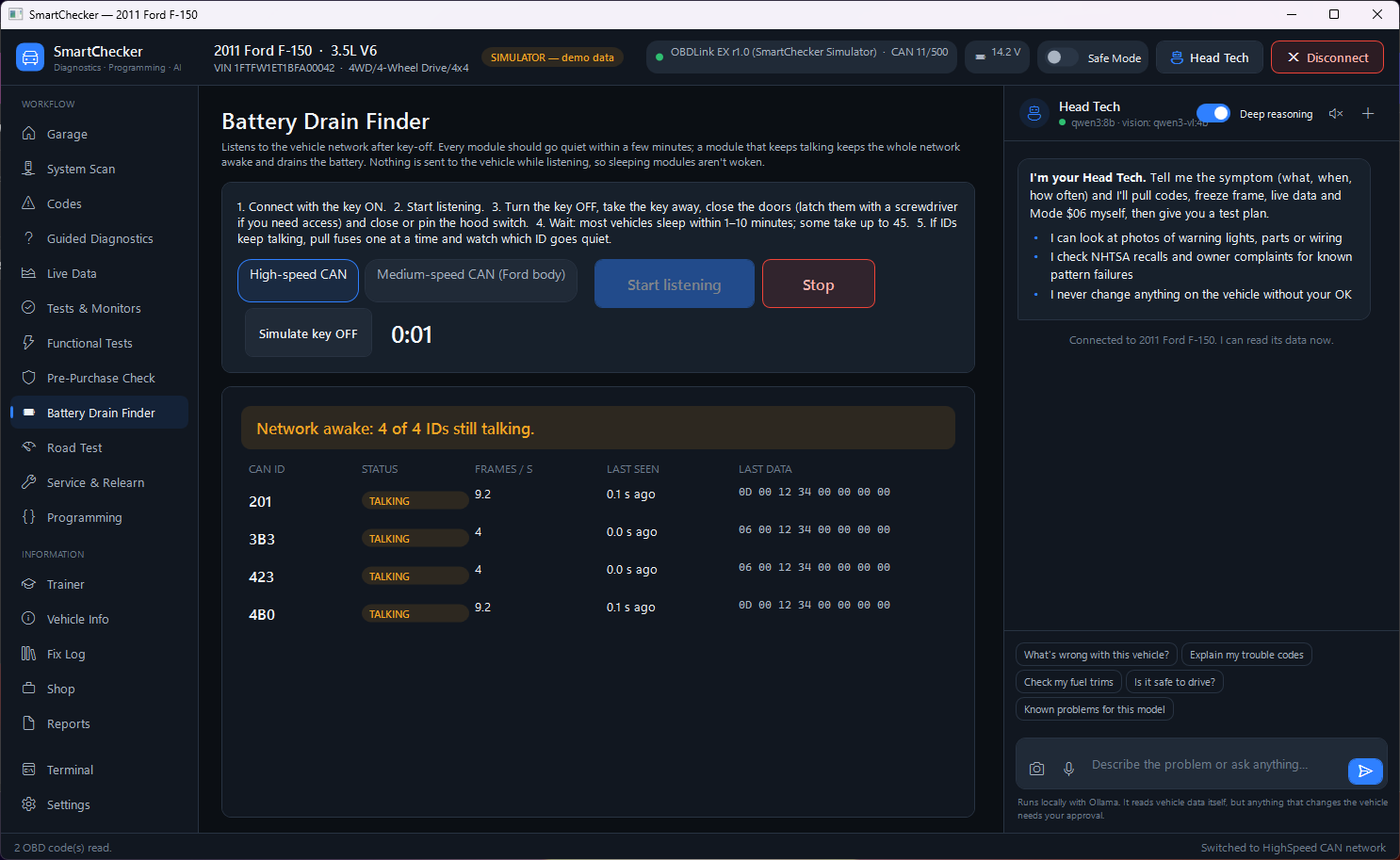
Command fans, pumps, relays and routines
Bi-directional tests defined as simple JSON files, so new tests can be added without updating the app.
- Checks engine, speed and voltage before starting
- Keep-alive and hard time limits while running
- Control returns to the module on stop, timeout or page change
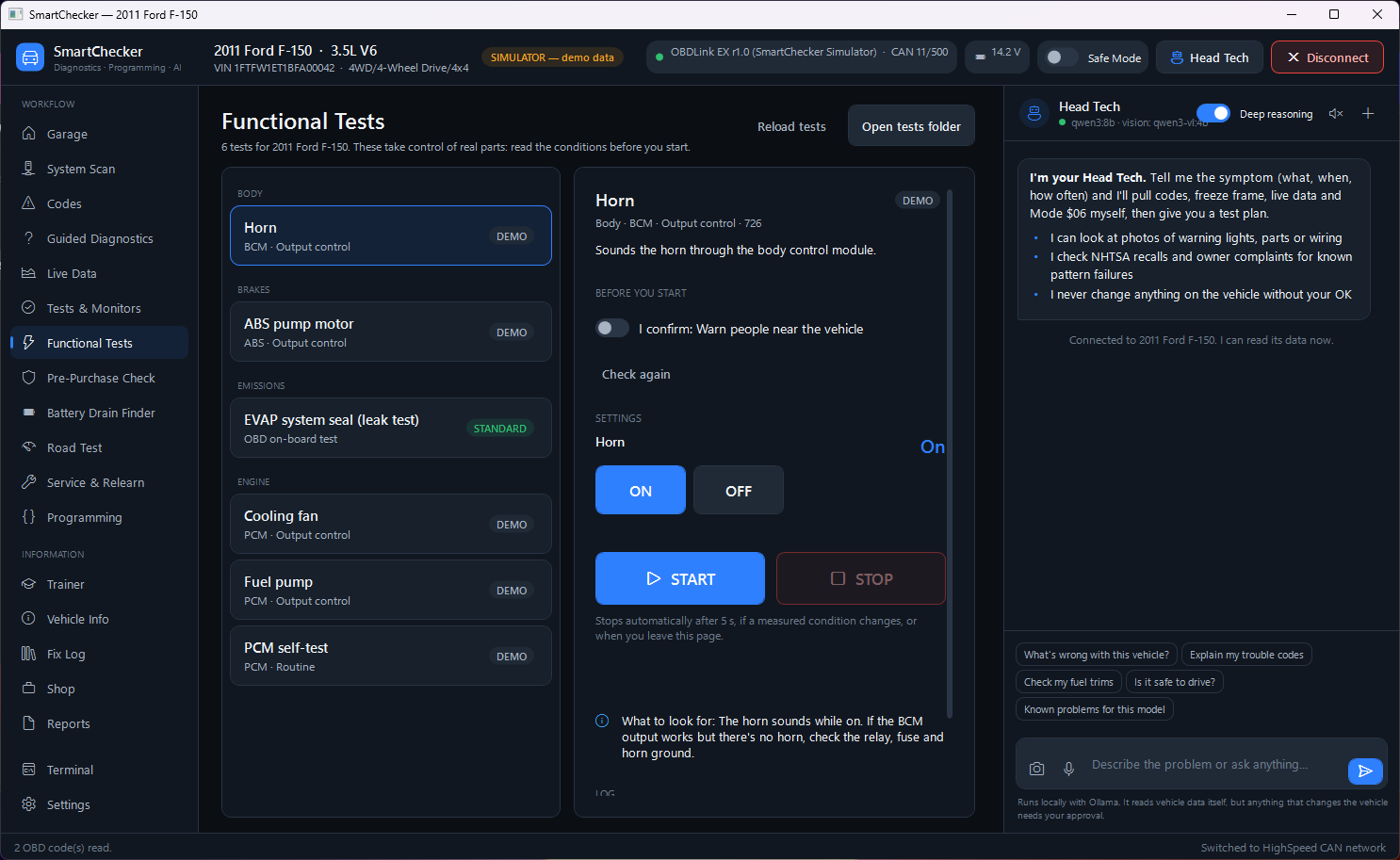
Catch rolled-back odometers
Compares mileage stored in the cluster against the engine, ABS and body modules, and checks for recently cleared codes and VIN mismatches.
- Cross-module mileage comparison
- Codes-cleared distance and warm-up check
- One-click customer report
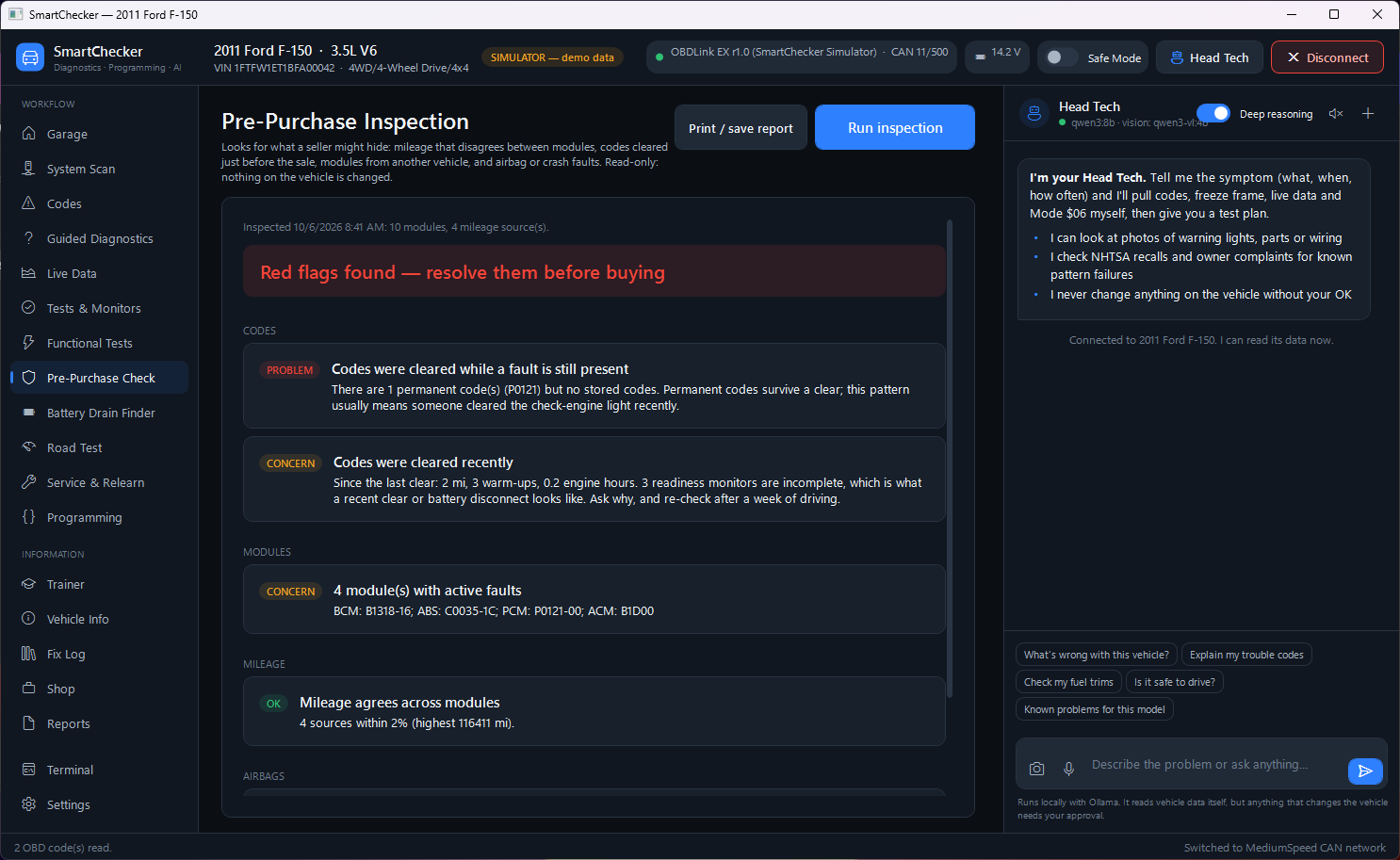
Find the module that won't sleep
Listens to the network after key-off and shows which modules keep talking — no pulling fuses one by one.
- High-speed and medium-speed CAN
- Per-module message rate and last-heard time
Module programming and configuration backup
Standards-based UDS reflash for VBF, Intel HEX, S-record and BIN files, plus As-Built style configuration backup, compare and restore.
- Refuses wireless links, weak batteries and a running engine
- Checks the file's ECU address against the module
- Security access through your own plug-ins
Direct protocol access
For the power users and engineers. Drop down to the raw terminal to sniff CAN frames, craft custom UDS payloads, or send AT commands directly to the chip.
- Raw hex request/response
- Live CAN bus monitor (AT MA)
- Custom timing and flow control
Write your own tests
Stop waiting for manufacturers to add the test you need. SmartChecker lets you define custom bi-directional controls and routines using simple JSON files.
- Create toggles for fans, pumps, and relays
- Map raw UDS bytes to UI buttons
- Share test files with other shops
Professional Shop Reports
Turn raw hexadecimal data into clean, branded PDFs that build customer trust. The slider below shows the difference between standard tool output and SmartChecker's refined report.
Run the shop from the same app
Customers, estimates, repair orders and invoices, linked to the vehicle and the scan results. Every confirmed fix goes into your own searchable Fix Log.
- Pre- and post-repair health reports
- Fix Log feeds straight into Head Tech's answers
View Sample Report ↗
Older cars, motorcycles and a lab scope
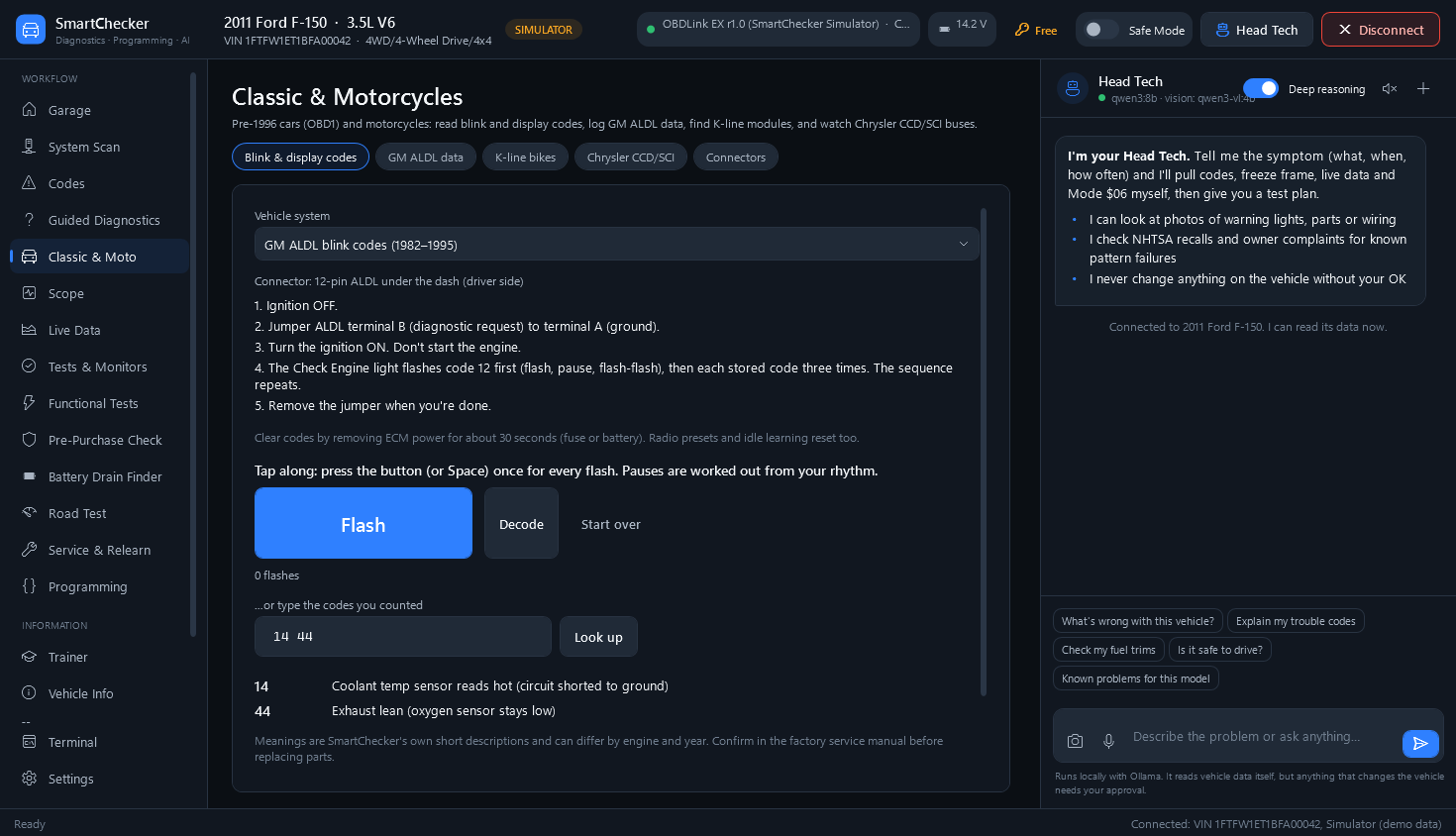
Pre-1996 cars and motorcycles
Tap along with the check-engine light and SmartChecker decodes the blink codes, with the steps to bring them up for each system.
- GM, Ford EEC-IV, Chrysler, Toyota, Honda and Nissan
- Harley-Davidson, Suzuki, Kawasaki, Honda and Yamaha motorcycles
- GM ALDL datalogger, K-line bike scan and a connector guide
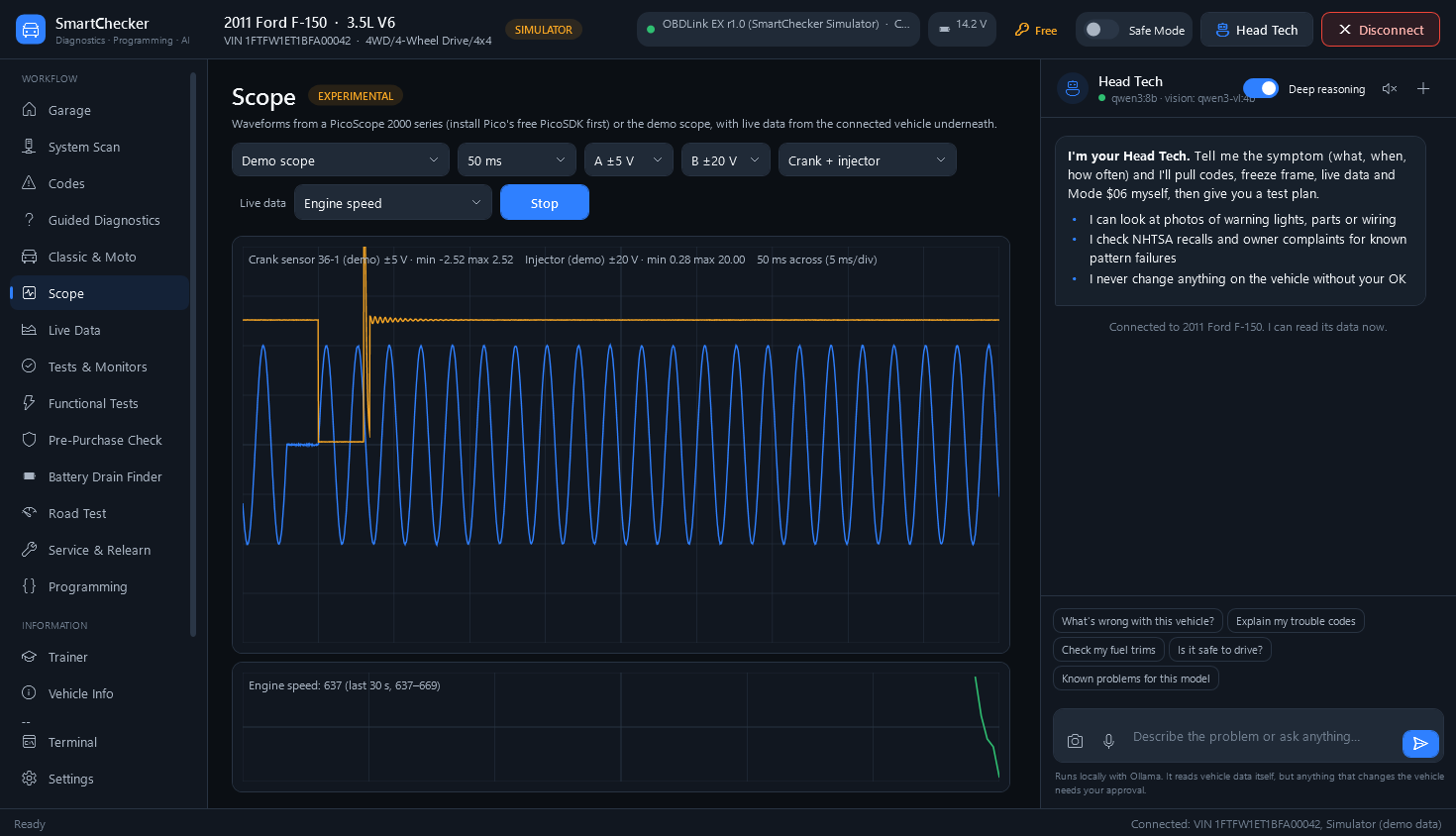
Waveforms next to live data
Hook up a PicoScope 2000 series and see the crank sensor, injector or CAN bus, with live data from the same car underneath. A demo scope shows how it works without hardware.
- Two channels, ±200 mV to ±20 V
- Timebases from 5 ms to 1 s
- Uses Pico's free SDK
Community Hub
Install functional-test packs other techs shared and verified. Every pack is checked against strict safety rules before it can run. Browse the Hub →
Pro Shop sync
Customers, repair orders, invoices and the Fix Log shared across three bays, with tech accounts managed on the website. See Pro Shop →
Free to try
Without a license, real vehicles are read-only: codes, live data and reports. Every feature works on the seven demo vehicles.
Survives a pulled cable
If the adapter is unplugged mid-test, SmartChecker reconnects and hands the output back to the module. Tests also stop below 11 V.
DoIP & CAN FD
Experimental support for the Ethernet and CAN FD diagnostics on 2020+ architectures, built to ISO 13400 and SAE J2534-2.
Plug-in security access
No OEM keys are included. Shops with their own algorithms add them through a documented plug-in SDK.
Bring your own adapter
SmartChecker doesn't lock you into expensive proprietary VCIs. It speaks standard protocols out of the box and connects to the hardware you probably already own.
OBDLink EX & MX+
Fully supported for ultra-fast multi-PID CAN scanning and automatic MS-CAN switching for Ford/Mazda.
vLinker FS & MC+
Excellent budget options that support large buffer transfers and fast ISO-TP frame packing.
J2534 Pass-Thru Devices
Any SAE J2534 pass-thru, with 32- or 64-bit drivers, for module programming and configuration backup. We're testing more devices now: tell us yours.
Compatibility Checker
Select an adapter to see what features it unlocks in SmartChecker.
It never touches the car without asking
Every clear, write, test and flash goes through one gate. A persistent Safe Mode toggle acts as a master block across the entire UI—if it's on, the app is strictly read-only. You can safely hand the laptop to an apprentice without worrying about them accidentally wiping a module's configuration.
Safe Mode
One switch in the app's top bar blocks every write before anything is sent.
Automatic hand-back
Output controls and routines are released on stop, timeout, disconnect or leaving the page.
Live condition checks
A test stops itself if the engine starts or the vehicle begins to move.
Programming pre-flight
Wired link, capable adapter, at least 12.4 V, engine off, matching ECU address.
Try it. Turn Safe Mode off and this page switches to its warning colors. In the app, writes are then allowed, and every one still asks you first.
Take a look around
Check your vehicle
Pick the year, type and make to see what SmartChecker can do with it today.
Based on how SmartChecker works with each kind of vehicle. Individual models can differ. The demo vehicles show every feature for free.
Stop paying the tool truck tax
Typical Flagship Scanner
Required subscription just to keep the tool from locking you out of features you already paid $5,000 for.
Yours Forever
No subscriptions, no forced updates, no locked hardware. Buy the app once, and it runs on your PC forever.
Also: Hardware Starter Bundle $219 (license + OBDLink EX or vLinker FS) and Pro Shop $349 (3 PCs, tech accounts, shared shop data). Compare licenses →
No license yet? SmartChecker still reads codes, live data and reports on real vehicles, and every feature works on the built-in demo vehicles.
Help shape SmartChecker
We're inviting a small group of independent shops and mobile techs to use SmartChecker on real vehicles before the public release. Reviews from those shops will appear here.
Free beta license
Use every feature on your own vehicles and customers' cars while SmartChecker is in beta.
A direct line
Your bug reports and feature requests go straight to the developer and are handled first.
Earn for test packs
Verified functional-test packs earn credits or extra licenses through the bounty program.
Frequently Asked Questions
Do I need an internet connection?
No. Head Tech AI runs entirely locally on your machine via Ollama. It doesn't send your customer vehicle data or VINs to the cloud unless you explicitly opt in to a cloud provider.
Is it safe to use bi-directional controls?
Every test and routine runs through a pre-flight check of battery voltage, engine state and vehicle speed. Control is handed back to the module if you stop, navigate away, the test times out, or the adapter is unplugged.
Which car makes have OEM coverage?
Module catalogs cover Ford, GM, Stellantis, Toyota, Honda, Hyundai/Kia, Nissan, Subaru, Mazda, VW/Audi, BMW and Mercedes-Benz, and a full network sweep finds modules on everything else. Generic OBD-II works on every 1996+ car, and J1939 on heavy trucks.
Can I use this for module programming and J2534 reflashing?
Yes. SmartChecker has a standards-based ISO 14229 reflash engine and configuration backup. Use a J2534 pass-thru or an OBDLink EX/MX+. You supply your own manufacturer calibration files (.vbf, .hex, .bin and so on).
What if the AI Head Tech is wrong?
Head Tech is an assistant, not an autonomous repair bot. It can't change anything on the vehicle without your approval, and it works from the vehicle's actual live data and freeze frames, but it's up to you to confirm the diagnosis before replacing parts.
Is there a free version?
Yes. Without a license, SmartChecker reads codes, live data, freeze frames and readiness, and makes reports on real vehicles. Tests that control the vehicle, clearing codes, programming and Head Tech need a license. Every feature works free on the seven built-in demo vehicles.
How do licenses work?
One payment for lifetime use of SmartChecker 2.x, including every 2.x update. Mobile Tech and the Starter Bundle run on one PC and can move to a new PC once every 6 months; Pro Shop covers three PCs with unlimited moves. Activate online or offline and manage your PCs from your account.
Does it work on pre-1996 cars and motorcycles?
Yes, within limits. Classic & Moto reads blink and display codes for GM, Ford, Chrysler, Toyota, Honda and Nissan cars and Harley-Davidson, Suzuki, Kawasaki, Honda and Yamaha motorcycles, logs GM ALDL data, and scans K-line bikes. Euro 5 motorcycles work like cars with an adapter cable.
Do you include OEM software or security keys?
No. SmartChecker is built from published standards and never includes manufacturer software, calibrations or security algorithms. For programming you supply your own calibration files, and shops entitled to a security algorithm can add it as a plug-in.
What data leaves my PC?
Vehicle data, customer records and AI chats stay on your PC. The app contacts NHTSA for VIN decoding and recalls and our server for license checks and updates. Crash reports and shop sync are only sent if you turn them on.
Technical Specifications
Supported OBD-II & UDS Protocols
- ISO 15765-4 (CAN 11-bit & 29-bit, 250k & 500k)
- ISO 14229 (UDS on CAN)
- SAE J1939 (Heavy Duty CAN 250k & 500k)
- SAE J1850 PWM (Ford) & VPW (GM)
- ISO 9141-2 & ISO 14230-4 (KWP2000)
- GM ALDL 8192 baud, ISO 14230 K-line module scan, Chrysler CCD/SCI through the open CCD/SCI Scanner
- ISO 13400 DoIP and CAN FD over SAE J2534-2 (experimental)
J2534 Pass-Thru API Support
Implements the SAE J2534-1 (v04.04) API, with J2534-2 pin switching for Ford MS-CAN and HS2-CAN and experimental CAN FD. A 32-bit helper process lets the 64-bit .NET 10 app use 32-bit J2534 drivers. Testing on more pass-thru devices is ongoing.
AI & Local Processing Engine
Head Tech runs on a local Ollama model (Qwen 3 recommended; any model with tool calling works). Speech recognition uses a local Whisper model for push-to-talk. Fully offline capable, so customer data stays on your PC. Optional cloud AI (Claude) uses your own API key.
Supported Programming File Formats
SmartChecker's flashing engine natively parses and transfers the following calibration formats:
- VBF (Volvo/Ford)
- Intel HEX (.hex)
- Motorola S-Record (.s19, .srec)
- Raw Binary (.bin)
Join the Waitlist
SmartChecker is currently in private development. We are refining core diagnostic features and ensuring rigorous safety standards before public release. Drop your email below to get early access.
We'll only email you about SmartChecker. See the privacy policy.